01Hold the picture.
Hold the picture.
Not just the heading.
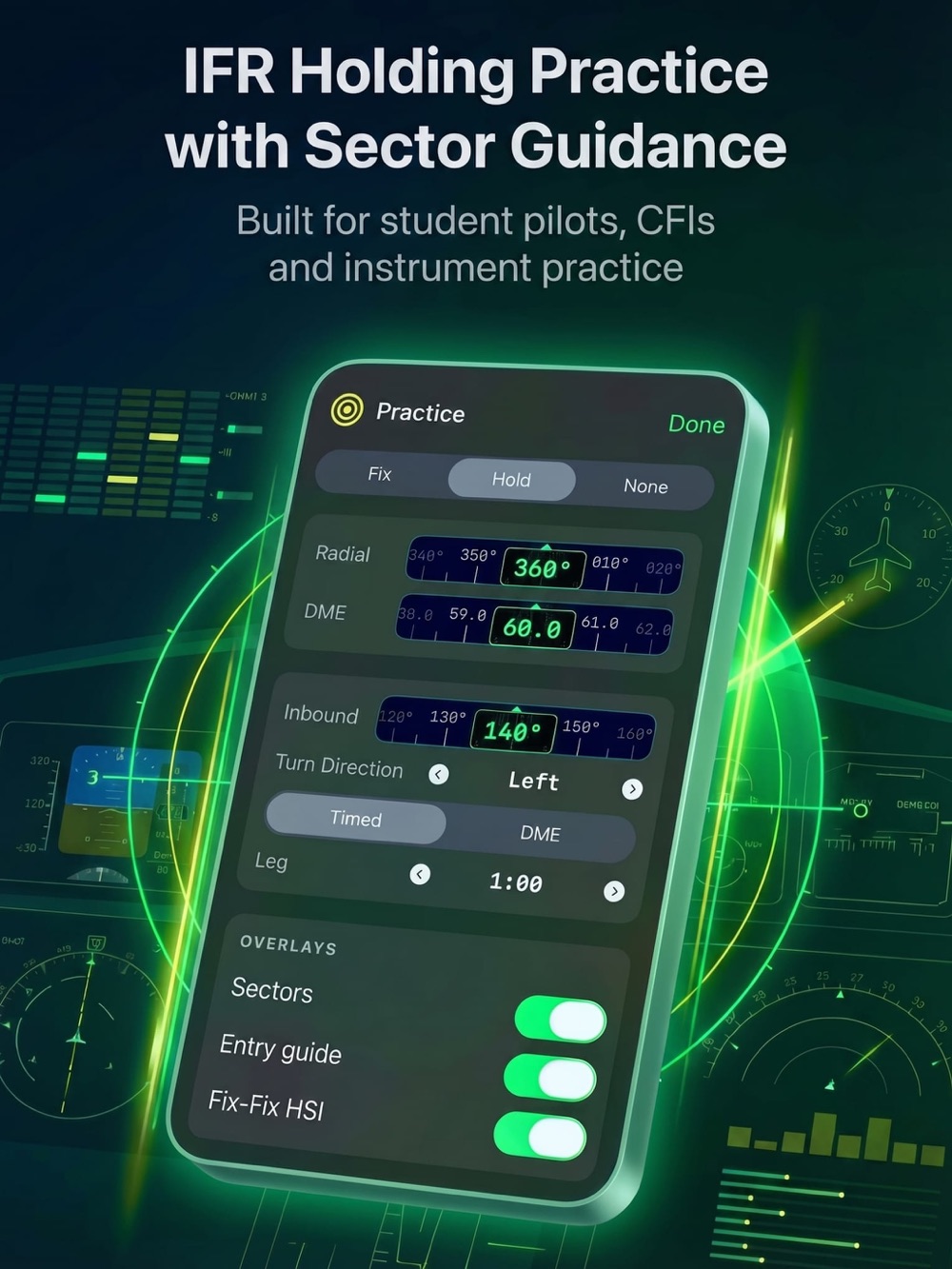
Direct, teardrop or parallel? See the entry sectors and guidance, then practise timed or DME holds with your own wind settings.
Learn the hold controls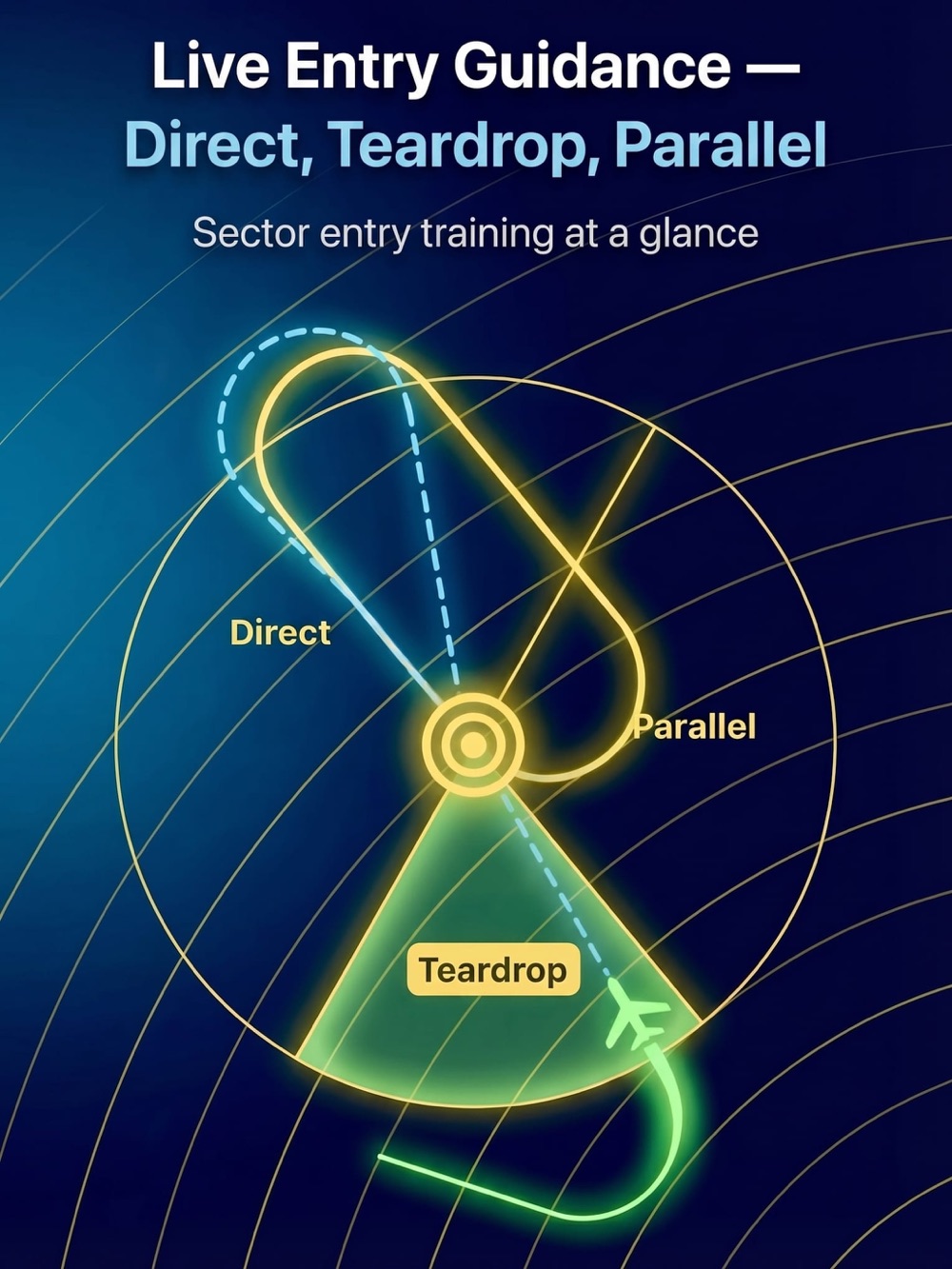
BUILT BY A PILOT. FOR PILOTS.
Make the picture click. Fly approaches, understand holds, and build your instrument scan — wherever you are.
Free to download · iPhone & iPad · Optional one-time Pro upgrade
01 / TRAIN WITH INTENT
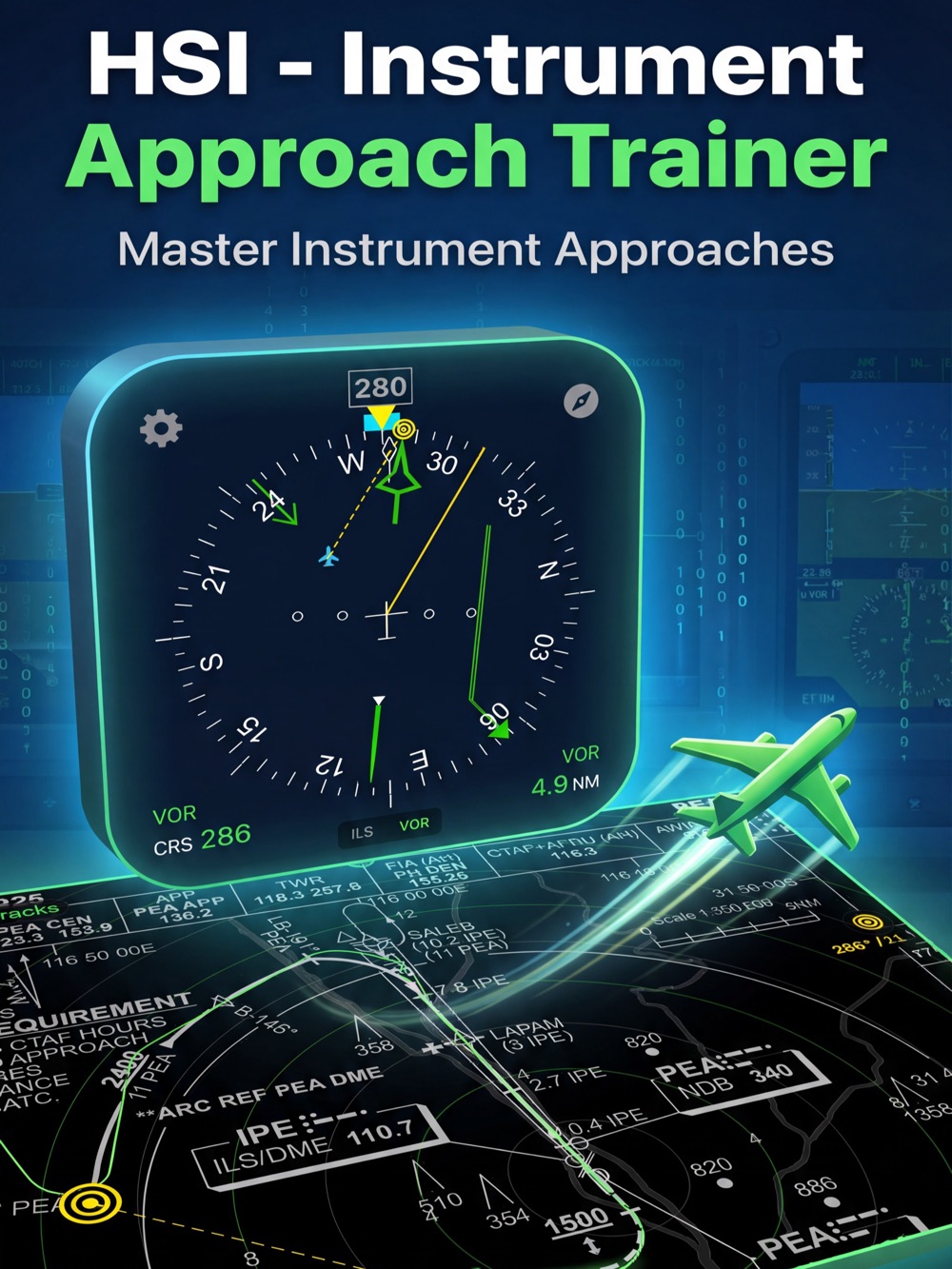
See how the instrument, aircraft and procedure connect. Then hide the map and put your scan to work.
Direct, teardrop or parallel? See the entry sectors and guidance, then practise timed or DME holds with your own wind settings.
Learn the hold controlsImport a PDF approach plate, position its navaids, set the scale, and rehearse with your simulated aircraft right on the chart.
Set up your first plate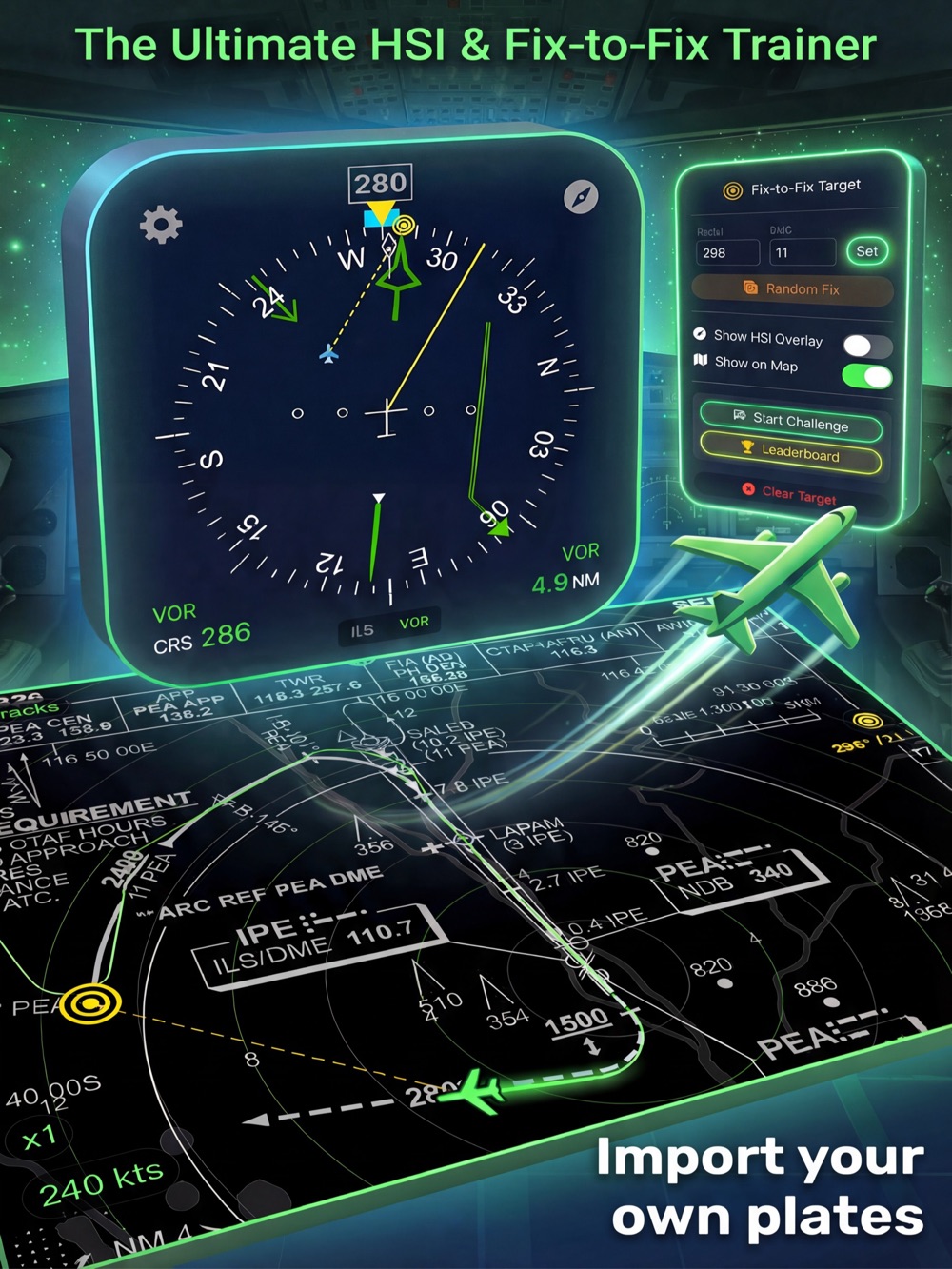
Build a fix-to-fix picture with radial and DME targets, visual overlays and navigation challenges.
Set wind direction and speed. See the difference between the heading you select and the track you fly.
Explore the details at normal speed. Accelerate to 2×, 5× or 10× when it’s time to repeat the exercise.
 ACTUAL APP STORE ARTWORK
A BETTER GROUND BRIEF
Built by a pilot and flying instructor, HSI brings the instrument-navigation picture out of the cockpit and into your hands.
For studentsTurn unfamiliar needles and procedures into a picture you can explain.
For instructorsPut the plate on an iPad and walk through the scenario together.
For practising pilotsRevisit a hold, rehearse an approach, or fit a quick drill into your day.
02 / IN ACTION
Original artwork and screenshots from the App Store. Tap any image to explore it.
Built for iPhone and iPad. Shown here using iPad artwork.

YOUR NEXT APPROACH STARTS HERE.
Download HSI free. Explore the trainer, then unlock Pro with a one-time purchase when you’re ready.
Get HSI on the App Store iPhone & iPad · iOS / iPadOS 16.4 or later · No Pro subscriptionBEFORE YOU TAKE A LOOK
HSI is free to download, with access to tutorials and basic features. Some advanced features have free-use limits. An optional one-time HSI Pro purchase unlocks PDF plate import and removes Pro-feature timeouts. See the in-app upgrade screen for current inclusions and your local price.
Yes. With HSI Pro you can import PDF approach plates from Files or the iOS share sheet. The setup wizard helps you configure navaids, align the chart and set its scale. Follow the plate setup guide.
HSI is a focused instrument-navigation and procedure-training tool, not a full aircraft or cockpit simulator. Use it to explore instrument indications and rehearse scenarios alongside your normal instruction.
Sign in with the Apple Account used to purchase Pro, open the upgrade screen and choose Restore Purchases. Check your internet connection if it does not appear. More troubleshooting help.